You can manage your user’s accounts, roles, and permissions in Settings > User Management.

The User Management tab has the User Management section, which lists your users and their information. You can manage their information and permissions by selecting a user from the list to pull up their profile.
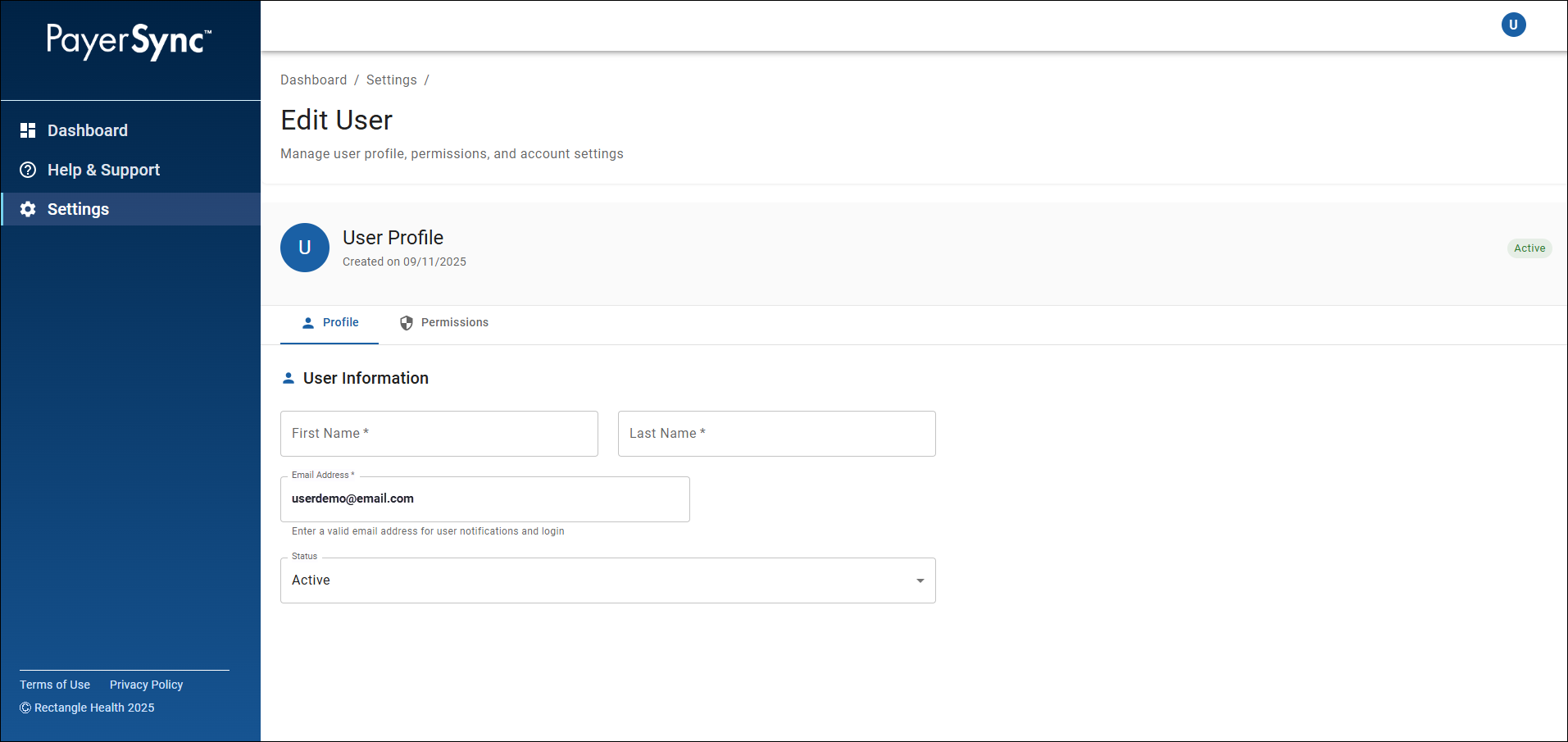
On the Edit User screen, the selected user’s profile will be displayed. There are two tabs: Profile and Permissions.
Profile Tab
The Profile tab has the User Information section, which includes:
- First Name
- Last Name
- Email Address
Used for user notifications and login.
- Status
Active: Users marked as Active have access to PayerSync.
Inactive: Users marked as Inactive no longer have access to PayerSync.
Permissions Tab
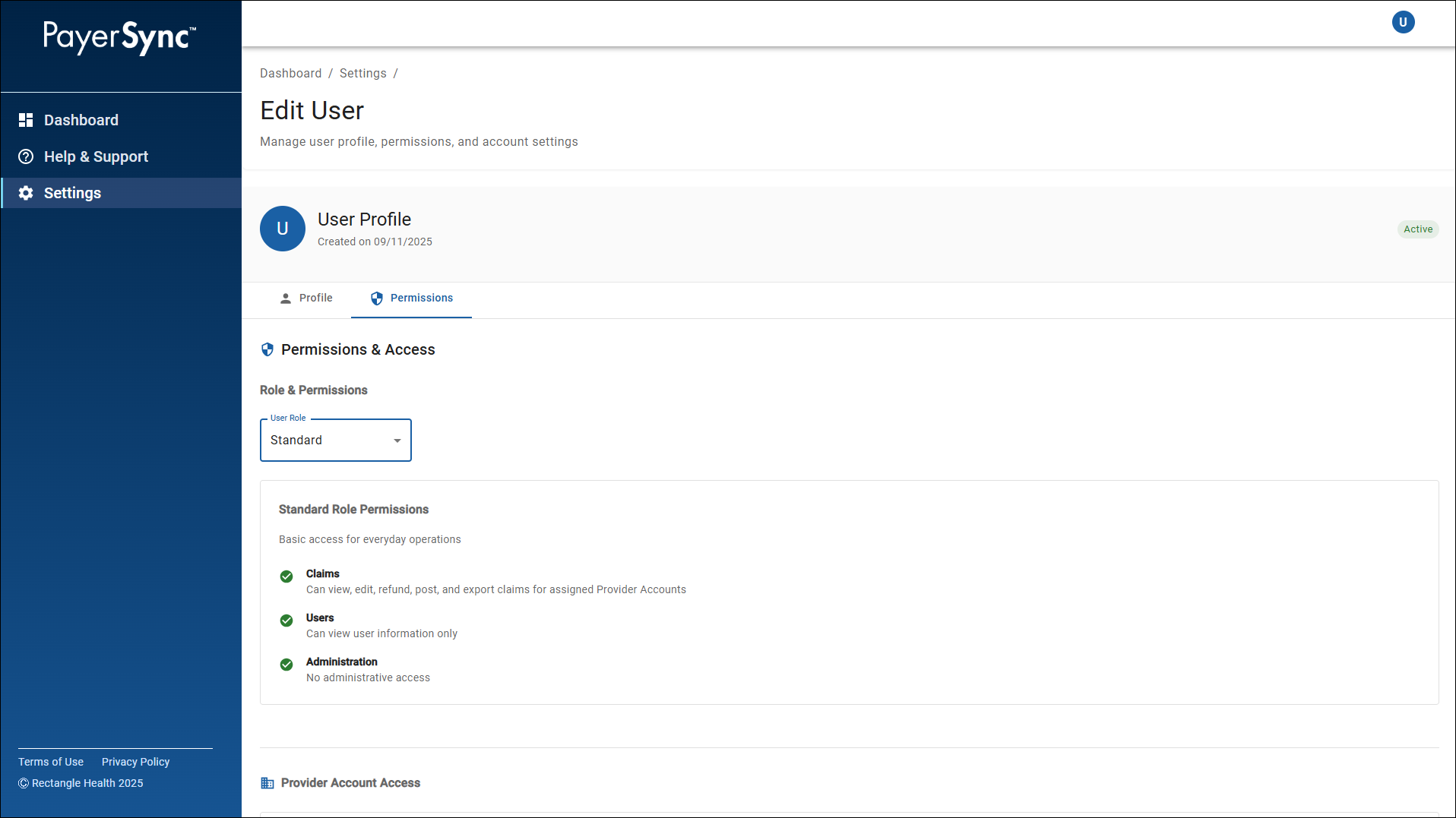
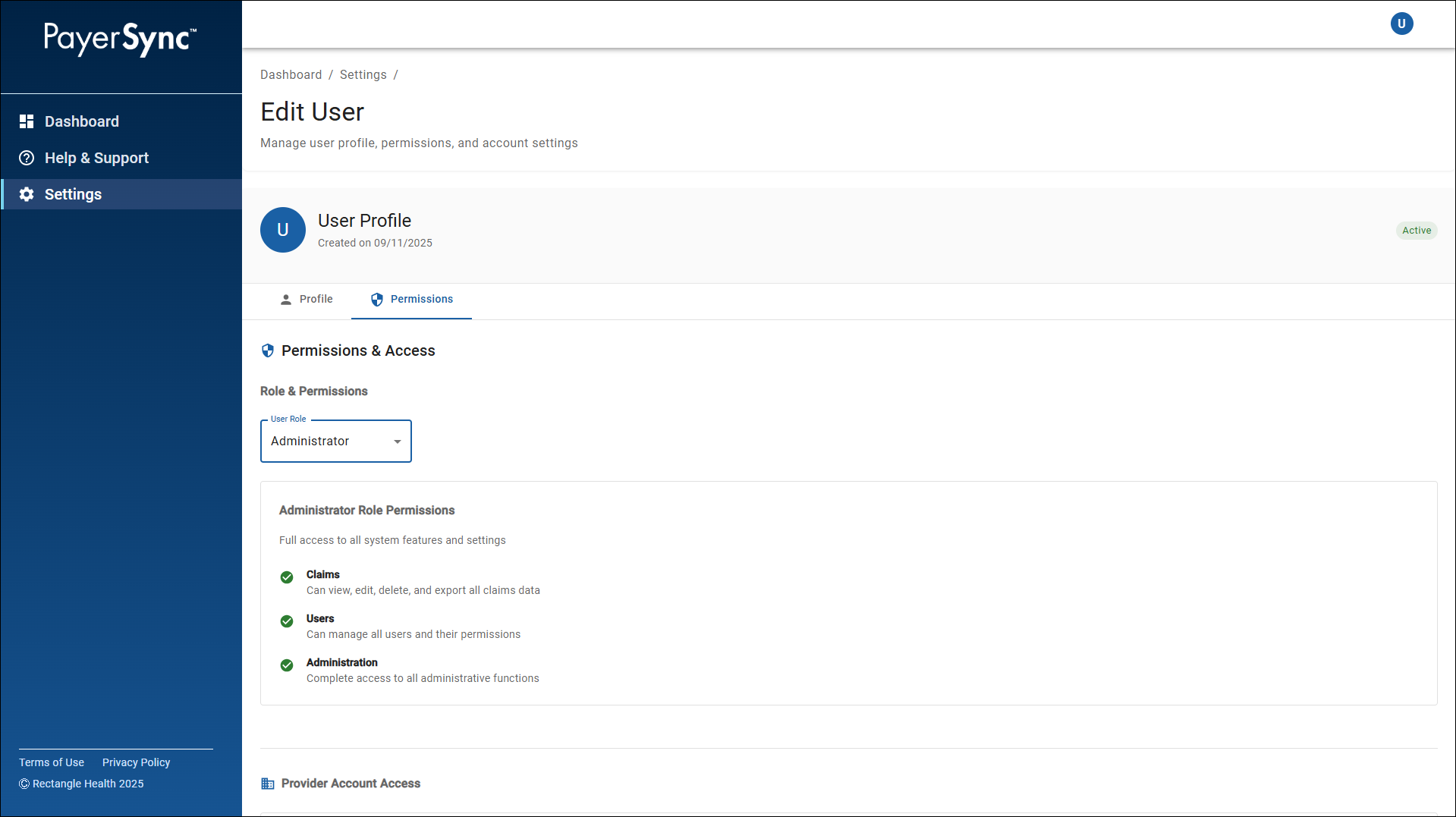
The Permissions tab has the Permissions & Access section, which includes the following under Role & Permissions:
- User Role
- Standard: Provides basic access for everyday functions.
Claims: Can view, edit, refund, post, and export claims for assigned Provider Accounts.
Users: Can view user information only.
Administration: No administrative access.
- Standard: Provides basic access for everyday functions.
-
- Administrator: Provides full access to all system features and settings.
Claims: Can view, edit, delete, and export all claims data.
Users: Can manage all users and their permissions.
Administration: Complete access to all administrative functions.
- Administrator: Provides full access to all system features and settings.
- Provider Account Access
Lists the provider accounts the user has access to.- Standard Users: Only assigned Provider Accounts will appear.
- Administrator Users: All Provider Accounts will appear.